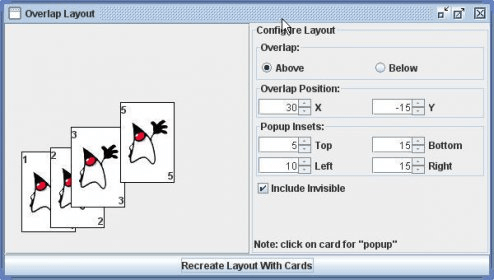
The OverlapLayout works similarly to the GridLayout, in that all the components are set to be the same size, determined by the maximum width or height of any given component added to the container. An exception to this is when components are “stacked”, in which case all components are sized to the area of the container. When using the OverlapLayout, you must first specify whether a component should be painted “above” or “below” the previous component, with the default being “above”. Then, you need to specify the overlapping position of each component.
The OverlapLayout works similiar to the GridLayout in that the components are all set to be the same size as determined by the maximum width or height of any given component added to the container. An exception to this is when components are “stacked”. In this case all components are sized to the area of the container.
When you want to work with OverlapLayout, first you need to specify whether a component should be painted “above” or “below” the previous component. The default is to paint components above one another. Next you need to specify the overlapping position of each component.





Comments